▮▮▮ For coaches and trainers ▮▮▮
Coach them from the floor.
Send the plan. They lift. You see every set. In person or from across the country.
- iPhone, Watch, iPad, Mac, Apple TV
- Your lifter says yes first
- Their data is never sold
Join the beta → Who it works for today
- Your lifters log on iPhone.
- You send programs from your iPhone, and plan on an iPad or a Mac with Apple silicon.
- Logging a lifter's sets for them on your phone, and lifters without the app: Coming January 1
The stack for a coach
Three apps. One mission.
 IronStack · Coach mode
Plan in, workouts out.
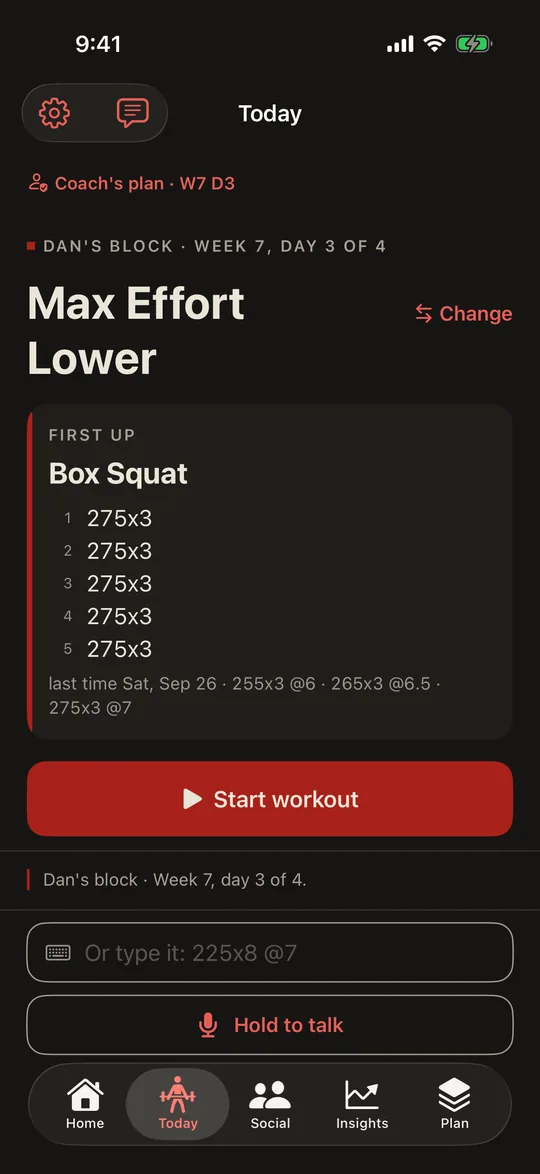
- Send a program from IronStack on your iPhone. Your lifter accepts it and can change anything; you see Accepted, or Passed if they turn it down.
- See every set against your plan, with every change marked: weight, reps, effort, swaps and skips.
- If they share notes, you hear when one mentions pain or a tweak.
- Repeat last week's plan with a little more weight.
- Start a lifter on one of ten starter programs.
- Bring a program you already have, as a PDF or a photo, and Stack AI types it in for you to send.
 MissionStack · the gym board
Live in the gym.
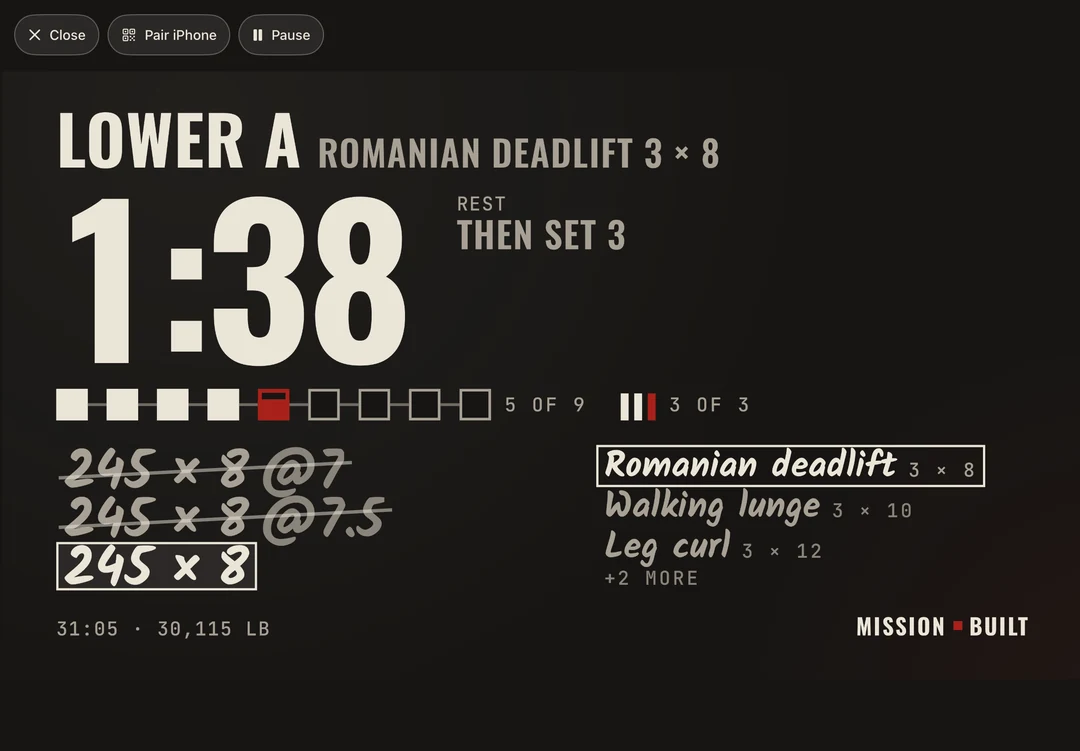
- Put the live workout on a TV, an iPad or a Mac. The set, the load, the rest clock and records, big enough to read across the gym.
- Your lifter logs on their iPhone or Apple Watch as always; the board only shows. Scan the board's code with your iPhone to pair.
- On Apple TV, the Siri Remote pauses the rest clock.
- One lifter on the board at a time today.
- Coming January 1 Supersets and circuits shown as one group.
- Coming January 1 Heart rate on the board.
- Coming later Several lifters on one board.
MissionStack · planning
Type it like you say it.
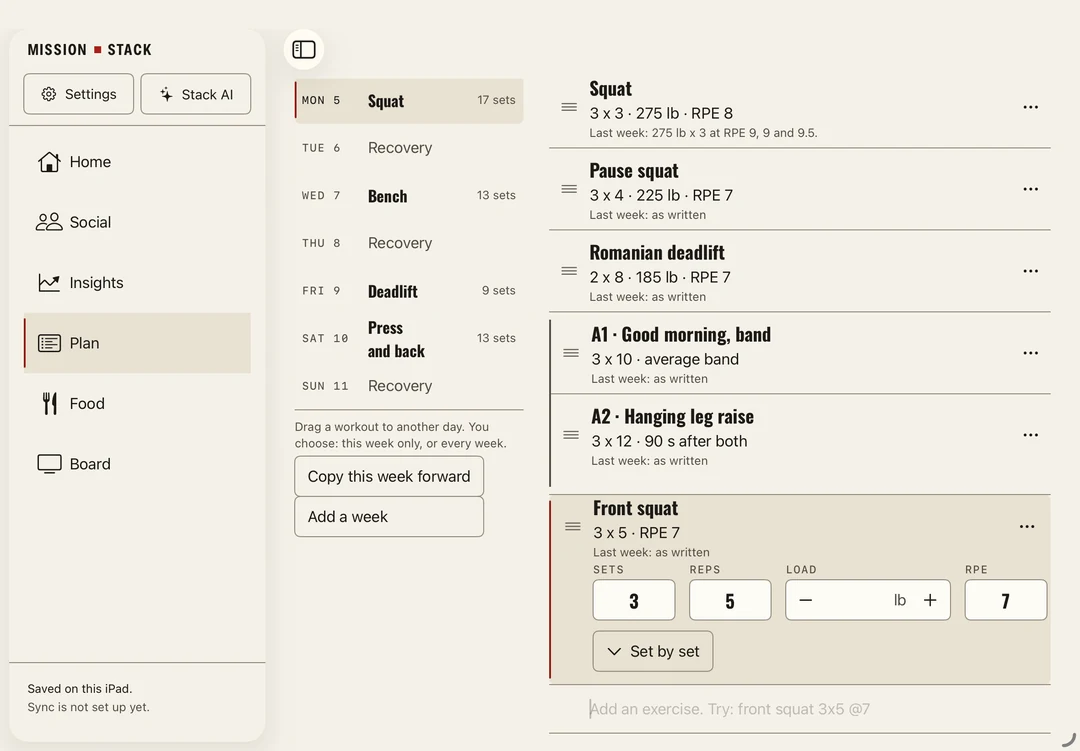
- Lay out a week on an iPad or a Mac: type "front squat 3x5 @7" and the sets fill in. Drag workouts between days, make a superset, repeat a week.
- For now a plan stays on that iPad or Mac; you send programs from your iPhone.
- Coming January 1 Send a plan from the iPad or Mac straight to your lifter's iPhone.
 MealStack · fueling
Your tracker says what you ate. This says when.
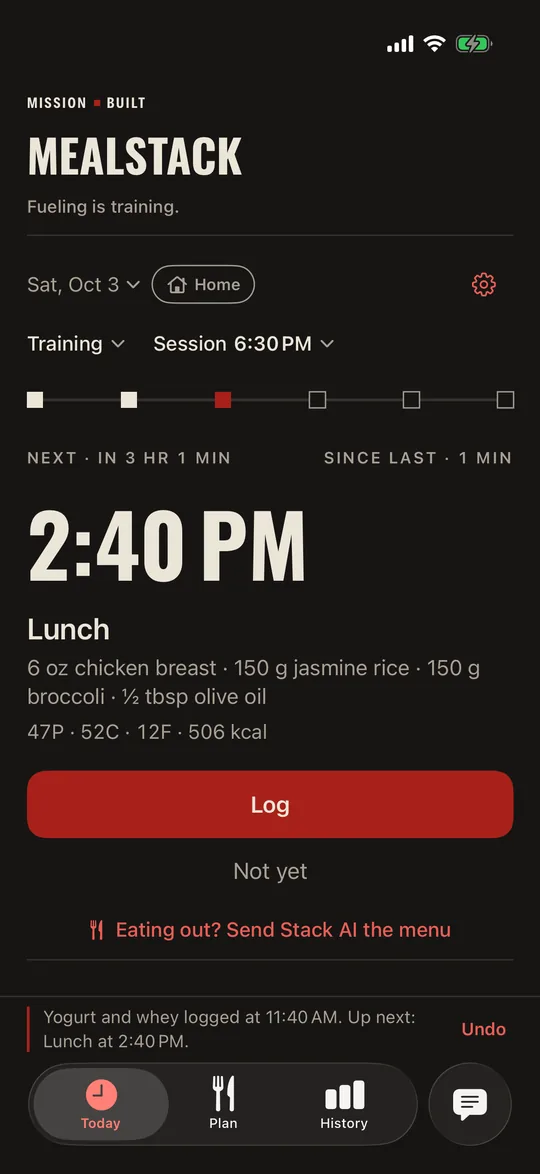
- Meals timed around the workout. Move the workout and the day moves with it; the meal before training still lands before they train.
- A lifter shares fueling with you only if they turn it on.
- Coming January 1 The day sized to how long they really train.
What your lifter controls
They say yes first.
Nothing is shared until your lifter says yes, and they choose how far back you see. Sleep, bodyweight and MealStack fueling stay off unless they turn them on. Either of you can end the link at any time, and ending it deletes your copy.
Shared workouts are kept on Mission Built's own server until the link ends. If your lifter shares notes, the server checks them for words like "pain" so it can flag a workout for you. We don't use them for anything else, and we never sell them. A private note you keep on a lifter stays on your phone.
Every detail, including what Stack AI sees when you sum up a week, is on IronStack's privacy page.
Get set up
Set up, then lift.
Coach mode
- Install IronStack. It's in a TestFlight beta now: join the beta below and say you coach. At launch it's on the App Store.
- Turn on Coach mode. In Settings, open Coach mode. Sign in with Apple, pick a handle, then tap Coach someone.
- Invite your lifter. Send them your invite link by text or email, or have them scan the code. Know their handle? Type it instead.
- They say yes. One switch, and they pick how far back you see: from today, or 30, 60 or 90 days, or everything.
- Send the plan. Send it from Plan in IronStack. Your lifter accepts it, and their workouts come back as they finish them.
MissionStack, for the gym board
- Install MissionStack on an iPad, a Mac with Apple silicon or an Apple TV. Choose Start on my own.
- Pair. Scan the code with the iPhone's Camera and tap Pair. The phone and the board need the same Wi-Fi.
- Lift. The board follows the workout; the phone still logs it.
Questions coaches ask
Before you switch.
- Can my lifters use Android?
- Not to log, yet. From January 1 you can add lifters without the app and log their sets for them on your phone.
- How many lifters can I coach?
- Coach Free: up to 5 lifters, free. Coach Pro 10 and Coach Pro 25, for up to 10 or 25 lifters, are add-ons to The Full Stack. Pricing coming soon.
- Can I coach lifters under 18?
- No. IronStack is for lifters 18 and over.
- I'm moving from another coaching app. What about my programs?
- Build them with the typed line, or bring a PDF or a photo and Stack AI writes it into Plan. Stack AI has to be on, and it uses your Stack AI allowance. How Coach mode compares →
Join the beta
Coach on it now.
Coach mode is open to everyone in the IronStack beta. Join it and tell us you coach, for example "I coach 6 lifters, in person and remote".
Join the IronStack beta → Send your lifters missionbuilt.io/coach/invited. It says what to install and what they share.